
Sample report
See what a SignalWisp report includes.
This is an example of the actual report format customers receive: a clear Wi‑Fi diagnosis,
recommended placement, before/after coverage maps, hardware guidance, client checks,
and the assumptions behind the model.
At-a-glance diagnosis
Understand the problem and the proposed fix quickly.
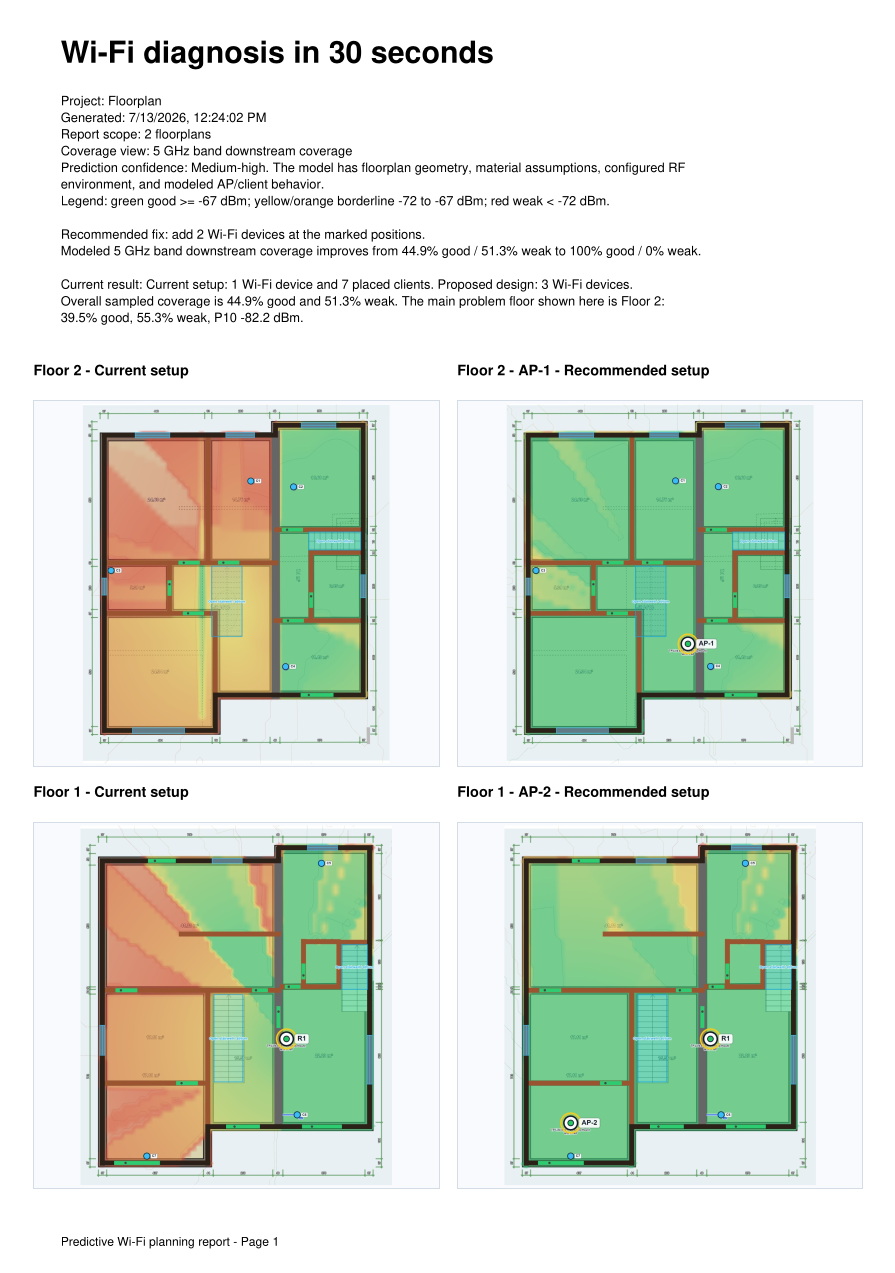
The first page summarizes the current setup, proposed design, modeled improvement,
and before/after maps for both floors.
Both floors shown immediately
Main weak areas identified
Recommended AP additions listed
Installation guidance
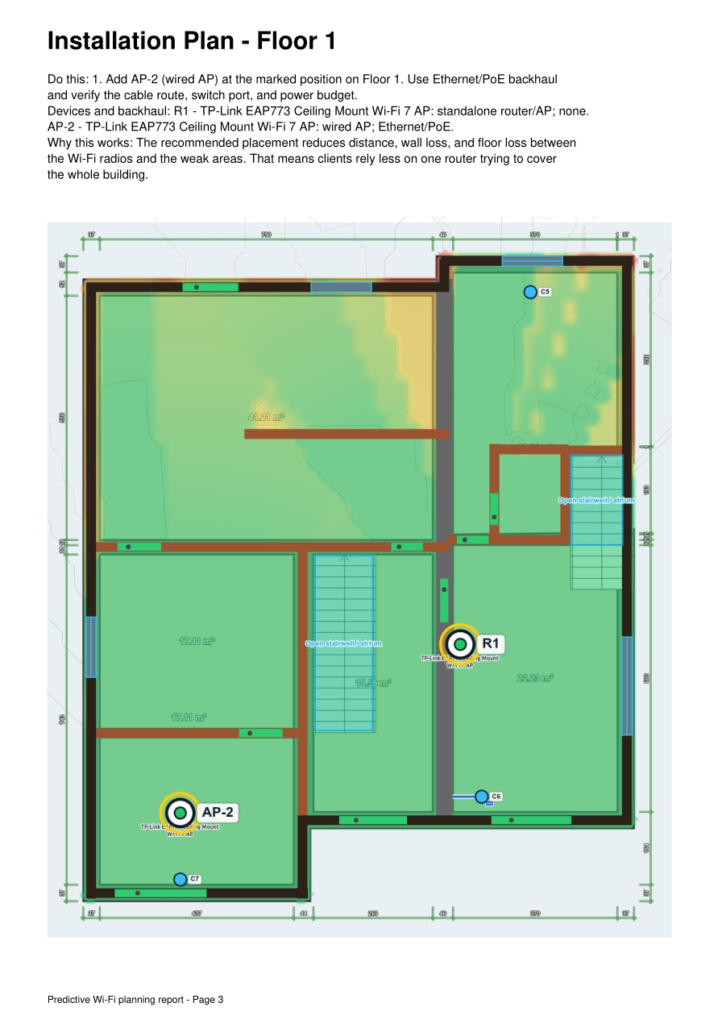
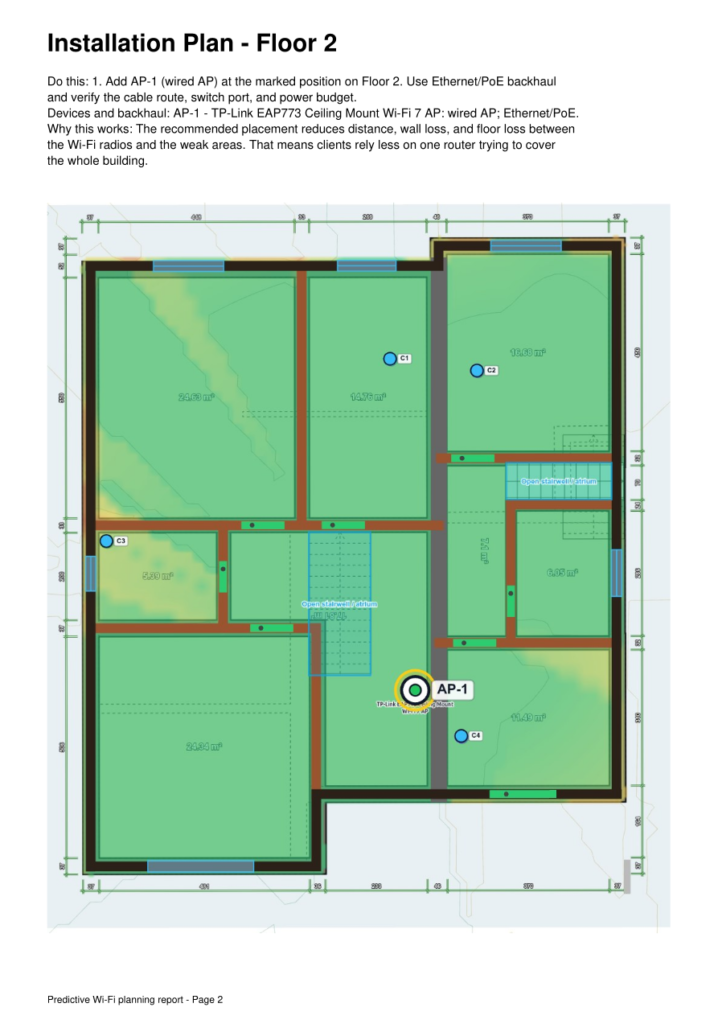
Floor-specific placement pages.
Each recommended AP gets a clear placement page so the customer or installer can see what needs to be added and where.
Hardware fit
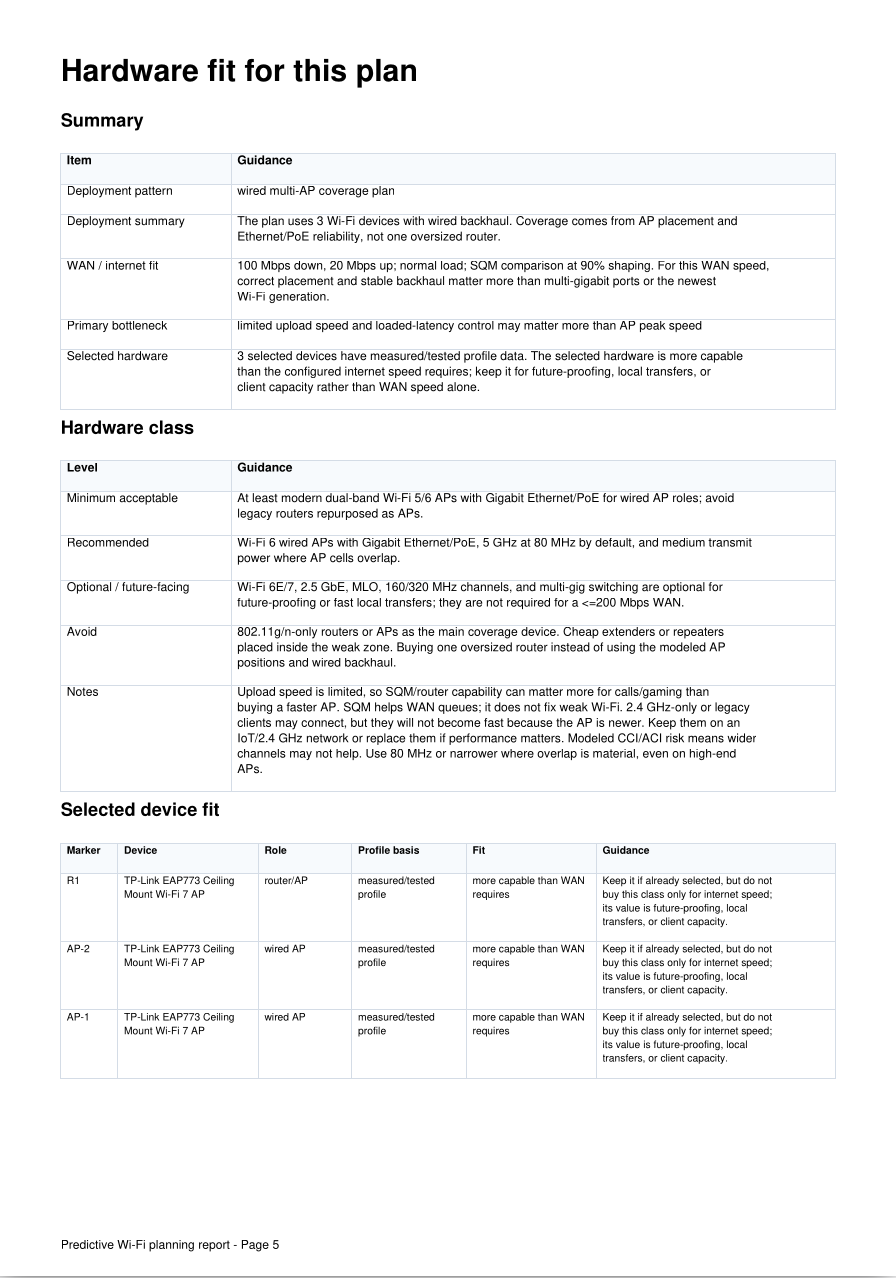
Not every plan needs the most expensive AP.
The report explains what class of hardware makes sense for the layout, the WAN speed,
client needs, and future-proofing goals.
Recommended hardware class
When Wi‑Fi 6E/7 makes sense
What to avoid buying
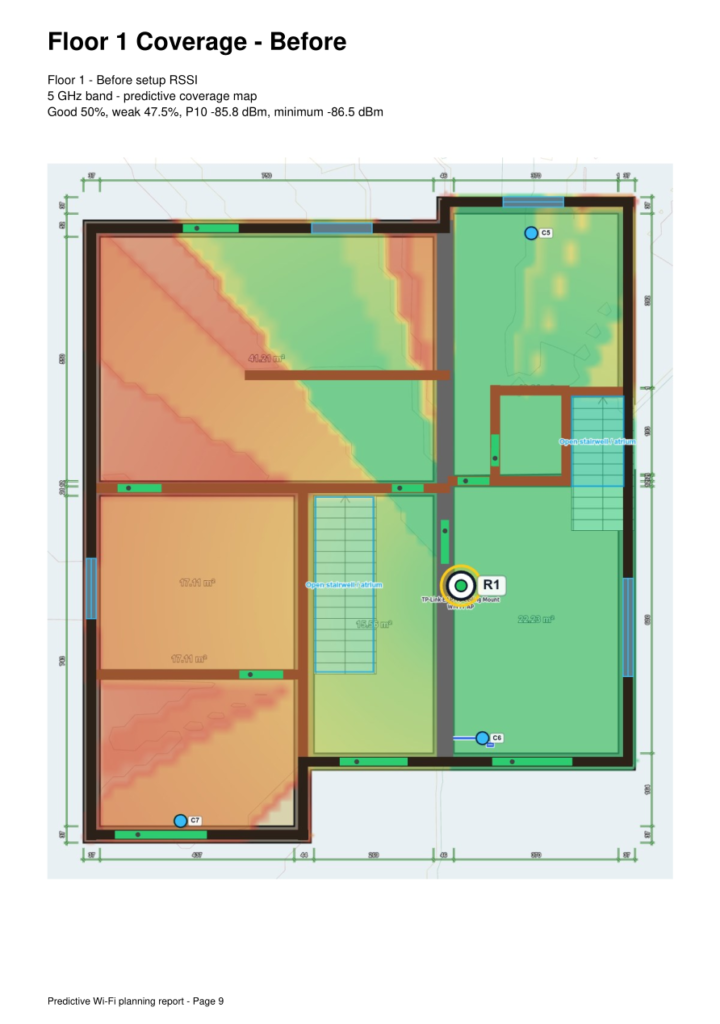
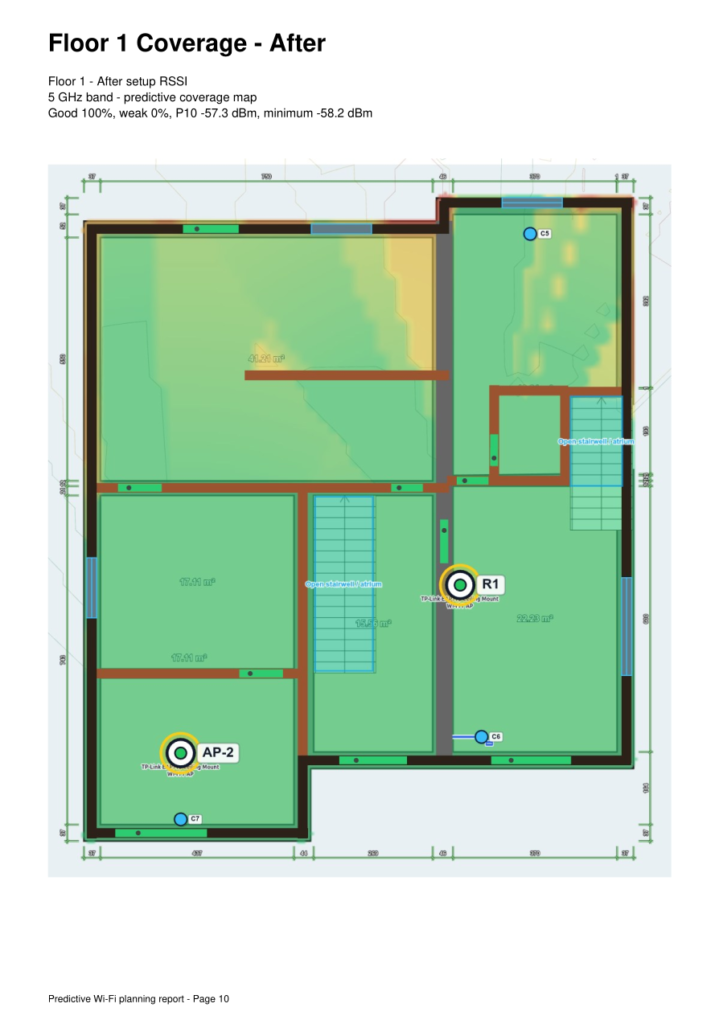
Coverage proof
Before and after coverage maps.
The report shows the weak areas before the recommendation and the expected coverage after the proposed AP placement.
Client behavior
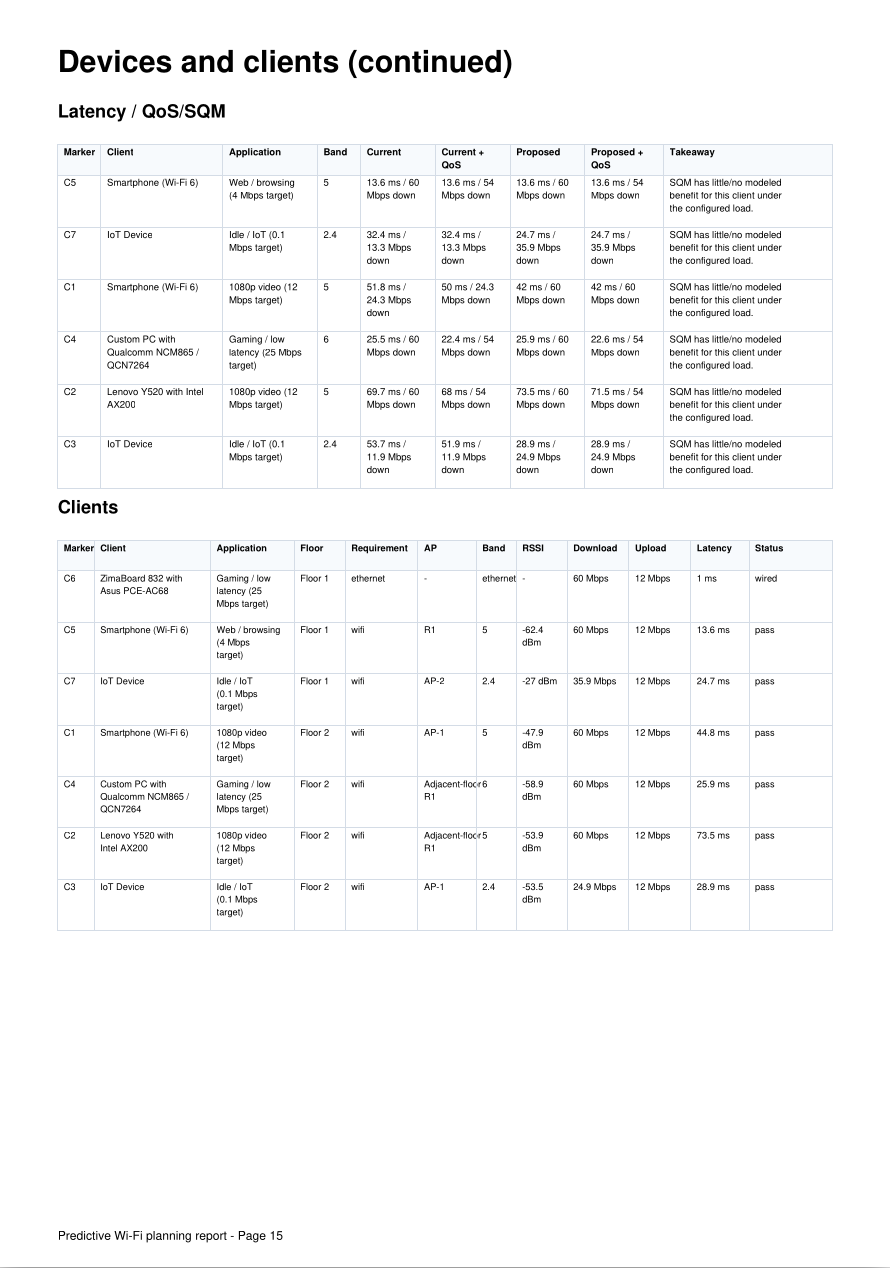
Client and latency checks are included.
The report does not stop at green coverage maps. It also checks placed clients,
selected band, serving AP, throughput, latency, and whether the result passes the modeled requirement.
Latency / QoS / SQM comparison
Band and serving AP shown
Pass / weak / wired status
Transparent assumptions
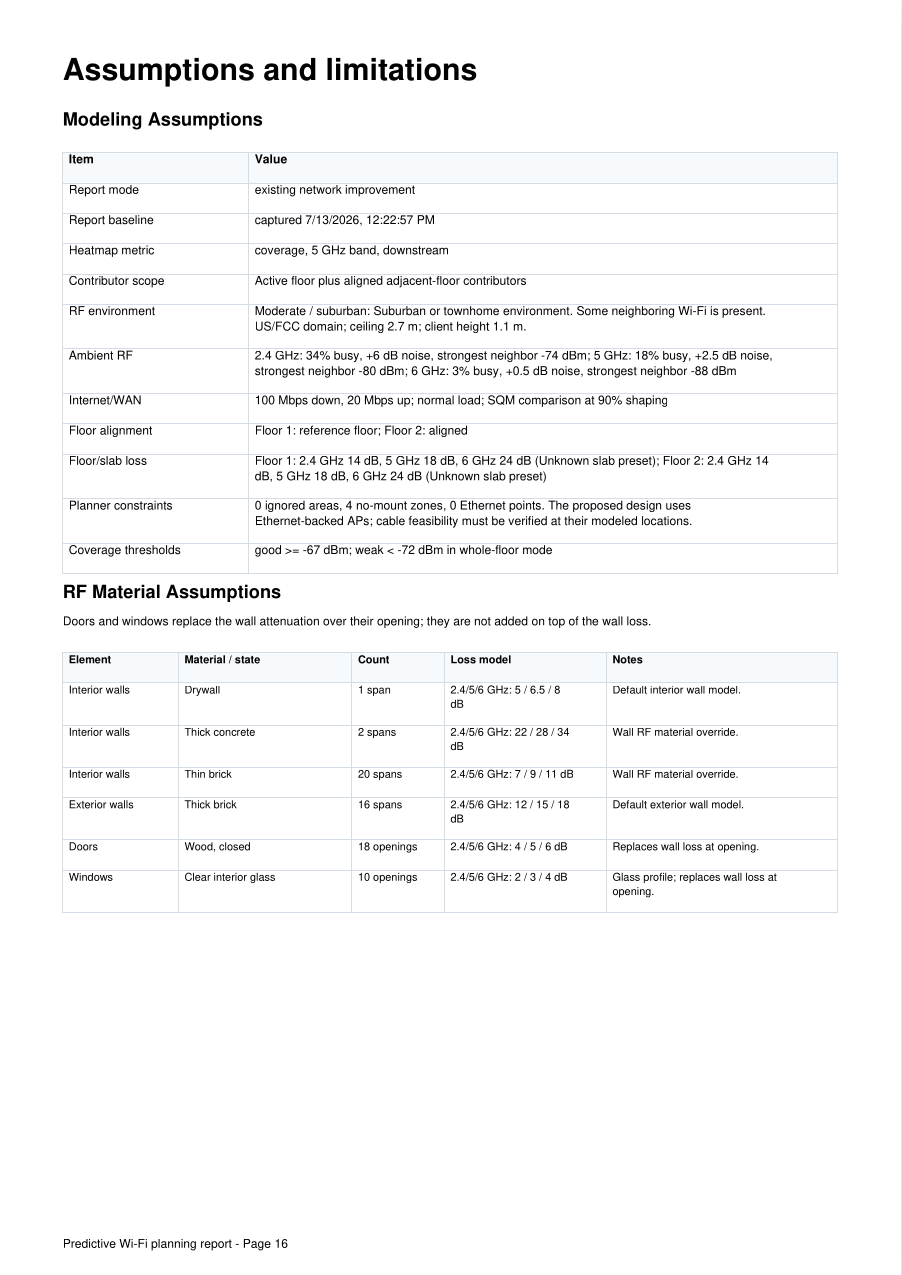
The model assumptions are shown, not hidden.
Every report includes the assumptions used for walls, doors, windows, floors,
interference, WAN speed, and coverage thresholds.
Floor and slab loss
Ambient RF preset
Coverage thresholds
Want this for your own floorplan?
Send your floorplan and current Wi‑Fi details. I’ll check whether the floorplan is usable before asking for payment.