
SignalWisp
Wi‑Fi planning from your floorplan.
Upload your floorplan and get a practical PDF report showing weak Wi‑Fi zones,
recommended router, mesh, or access point placement, hardware fit, setup notes,
and assumptions before buying more equipment.
No payment before floorplan approval
Manual review included
Tested device profiles where available
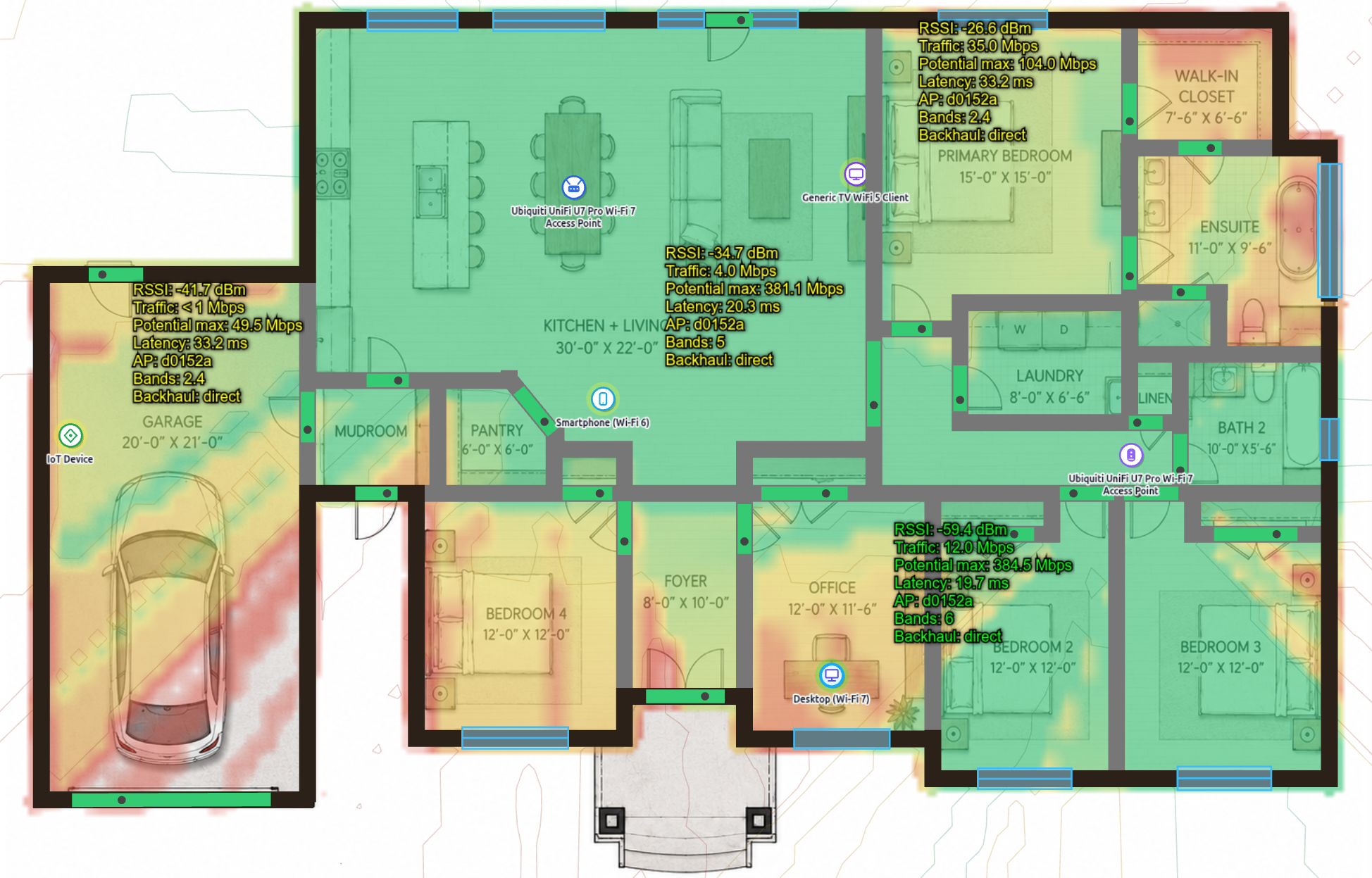
Most Wi‑Fi upgrades fail because the new router goes in the same bad place.
Weak Wi‑Fi is often caused by floor layout, wall signal loss, floor separation,
poor mesh unit placement, or relying on one router to cover too much space.
SignalWisp checks the floorplan before recommending where Wi‑Fi devices should actually go.
The signal can drop sharply across masonry, reinforced concrete, thick brick, and floor separation.
A mesh node inside a weak zone often repeats a weak signal instead of fixing it.
Correct AP placement can matter more than buying the newest router.
A practical, personalized PDF report, not generic Wi‑Fi advice.
The report turns your floorplan and current setup into clear placement guidance,
maps, hardware notes, client checks, and assumptions.
Weak-zone diagnosis
See where signal is likely to be good, borderline, or weak.
Before/after coverage maps
Compare the current setup with the recommended layout.
AP/router placement zones
Get practical positions for routers, wired APs, or mesh nodes.
Hardware and profile fit
Understand whether your current or planned device is enough, outdated,
excessive, or best modeled with a tested SignalWisp profile.
Setup notes
Starting guidance for bands, transmit power, channel width, and mesh placement.
Assumptions and limitations
Clear notes about modeled materials, floorplan accuracy, RF assumptions, and site checks.
Real tested profiles when available. Clear fallbacks when not.
SignalWisp can use tested router and access point profiles where available.
If your exact device is not yet in the profile library, the report uses the closest
suitable generic class and labels that assumption clearly.
TP‑Link Deco BE25
Ubiquiti U7 Pro
Zyxel WBE660S
EnGenius ECW515
More profiles added regularly
Use your current device
Already own a router, mesh kit, or AP? Include the model in the request and it can be checked against
the tested profile library or a suitable fallback class.
Plan around a device you are considering
If you are thinking about buying a specific model, the report can evaluate whether that class of hardware
makes sense for your floorplan and internet speed.
No exact match? No problem.
When a specific profile is not available yet, SignalWisp uses a labeled generic profile and explains the
assumption instead of pretending the device was tested.
SignalWisp does not sell hardware. Device-profile support is used to make the planning report more realistic,
not to push a specific brand.
Simple request, manual review, PDF delivery.
Send your floorplan
Upload a PDF, image, or plan screenshot and mark the current router/AP location if possible.
We check if it is usable
No payment is required before the floorplan is reviewed.
Choose the goal
Whole-home, gaming, video calls, rental/BnB, small office, or mesh-only.
Pay after approval
If the input is usable, you receive a payment link.
Receive the report
The PDF report is delivered by email.
Choose what the report should prioritize.
One report includes one primary goal. Extra scenarios can be requested separately.
Balanced whole-home Wi‑Fi
Best for general home use, phones, laptops, streaming, and everyday coverage.
Gaming / low latency
Prioritizes one gaming PC or console, checking signal, latency risk, AP choice, and backhaul.
Video calls / work
Prioritizes stable connection quality for office rooms and work devices.
Rental / BnB / small office
Focuses on reducing guest or user complaints and making coverage more predictable.
Mesh-only / no new cables
Checks where mesh nodes should go if Ethernet is not available.
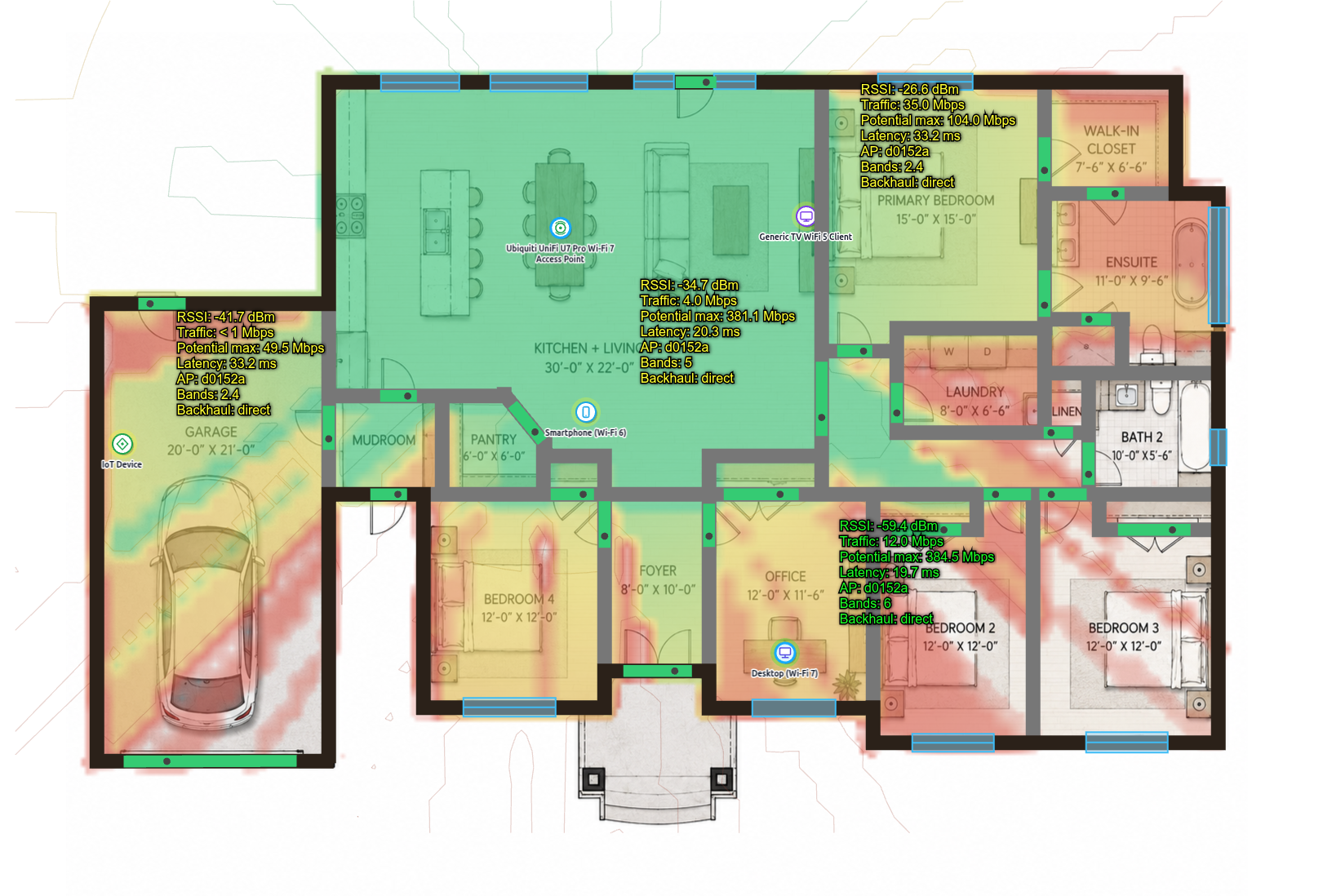
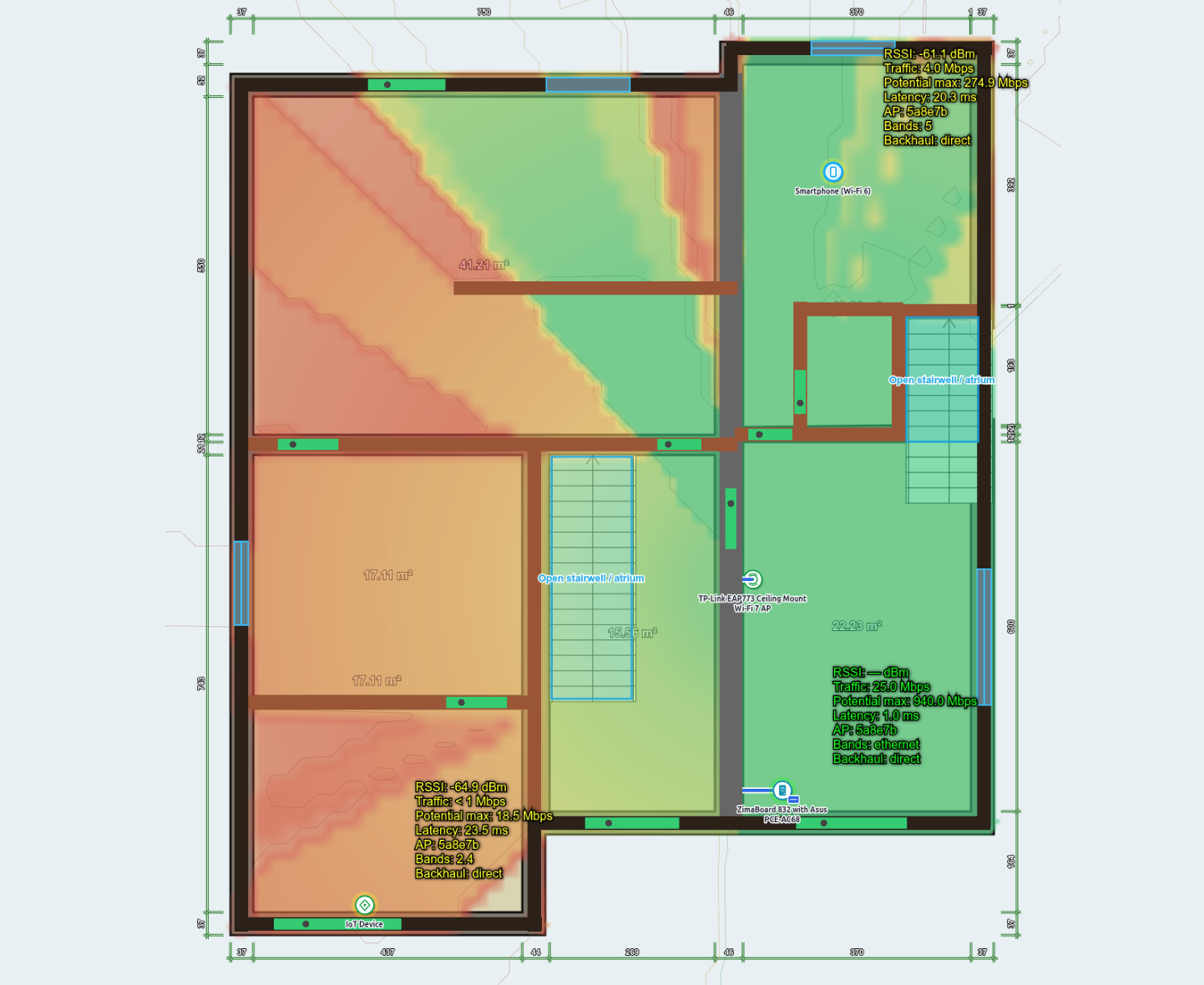
See what you receive before ordering.
The PDF report includes a short diagnosis, recommended changes, before/after maps,
setup notes, hardware fit, band suitability, client checks, and assumptions.
First few reports: €49.
The founding beta price is available while the workflow is being refined.
Normal price later: €79+.
€49
One primary Wi‑Fi planning report
- One property
- Up to 2 floors
- One optimization target
- One PDF report
- One correction pass for report/export errors
Predictive planning, not an on-site RF survey.
SignalWisp is based on the floorplan, modeled wall/floor loss, selected device profiles,
and the information you provide. It helps you make better placement and hardware decisions,
but it does not guarantee real-world speed or replace an on-site survey.
Exact cable routes, electrical work, PoE switch budgeting, guaranteed speeds,
on-site measurements, or unlimited troubleshooting.
Before buying another router or mesh kit, check the floorplan.
Get a practical Wi‑Fi placement report based on your home, your walls,
your floors, your devices, and your goals.